

VoIP stands for Voice over Internet Protocol. In simple words, it lets you make phone calls using the internet instead of a traditional phone line. Just like apps such as WhatsApp or Zoom use the internet for calls, VoIP does the same for voice calls without needing a regular landline.
Here in the UK, this is worth understanding sooner rather than later. The old landline network is being retired for good by January 2027, so whether you’re running a business or just want your home phone to keep working, you’ll need to make the switch to something like VoIP at some point anyway.
This guide walks through what VoIP actually is, how it works day to day, what the 2027 switch-off means for you, and how to choose a setup that won’t leave you stuck later on.
What Is VoIP?
VoIP (Voice over Internet Protocol) is a technology that lets you make phone calls over an internet connection instead of a traditional telephone network.
In simple words, your voice is turned into digital data, sent across the internet, and changed back into sound for the person on the other end. This process happens almost instantly, so the conversation feels natural.
Imagine you own a small online clothing store. Instead of paying for a landline, you install a VoIP app on your laptop and smartphone. Customers call your business number, and you answer from whichever device you’re using. Whether you’re in the office, working from home, or traveling, you never miss important calls.
How Does VoIP Work?
The technology behind VoIP sounds complicated, but the idea is actually simple.
Here’s what happens during a VoIP call:
You speak into your phone, computer, or headset.
The device converts your voice into digital information.
That information travels through the internet in tiny pieces called data packets.
The other person’s device receives the packets.
Their device converts the digital information back into sound.
All of this happens within milliseconds, making the conversation feel like a normal phone call.
What Equipment Do You Need for VoIP?
The good news is that you don’t need expensive hardware to start using VoIP. In many cases, you already have most of what you need.
Below are the essential components that make a VoIP phone system work.
1. Reliable Internet Connection
A stable internet connection is the foundation of every VoIP call. Since your voice travels over the internet instead of traditional phone lines, call quality depends on your connection.
If your internet is slow or unstable, you may experience:
- Choppy audio
- Delayed conversations
- Dropped calls
For the best experience, use a high-speed broadband or fiber connection. If you’re using Wi-Fi, try to stay close to your router or connect with an Ethernet cable for a more reliable signal.
2. VoIP Service Provider
A VoIP service provider is a company like A2P Calling that handles your internet phone service. Think of it as the bridge that connects your calls to other people.
Your provider usually gives you:
- A business or personal phone number
- Calling plans
- Voicemail
- Call forwarding
- Video and conference calling
- Other communication features
Different providers offer different pricing and features, so choose one that fits your needs and budget.
3. Calling Device
You’ll need a device to make and receive calls. One of the biggest advantages of VoIP is that it works on several devices, giving you the freedom to communicate from almost anywhere.
You can use:
- A smartphone
- A laptop or desktop computer
- A tablet
- A dedicated VoIP desk phone
Many people use multiple devices with the same phone number, making it easy to answer calls whether they’re in the office or working remotely.
4. Softphone App
A VoIP app is software that turns your smartphone, tablet, or computer into a phone. Instead of using a physical desk phone, you simply open the app to make and receive calls.
VoIP apps also include features such as:
- Contact management
- Call history
- Video calls
- Instant messaging
- Voicemail access
Because everything is managed from one app, staying connected becomes much more convenient.
5. Headset (Optional)
A headset isn’t required, but it can make a noticeable difference in call quality and comfort, especially if you spend a lot of time on the phone.
A good headset helps:
- Reduce background noise
- Make your voice sound clearer
- Keep your hands free while talking
- Improve comfort during long calls
If you regularly attend online meetings or handle customer calls, investing in a quality headset is often worthwhile.
Types of VoIP Systems
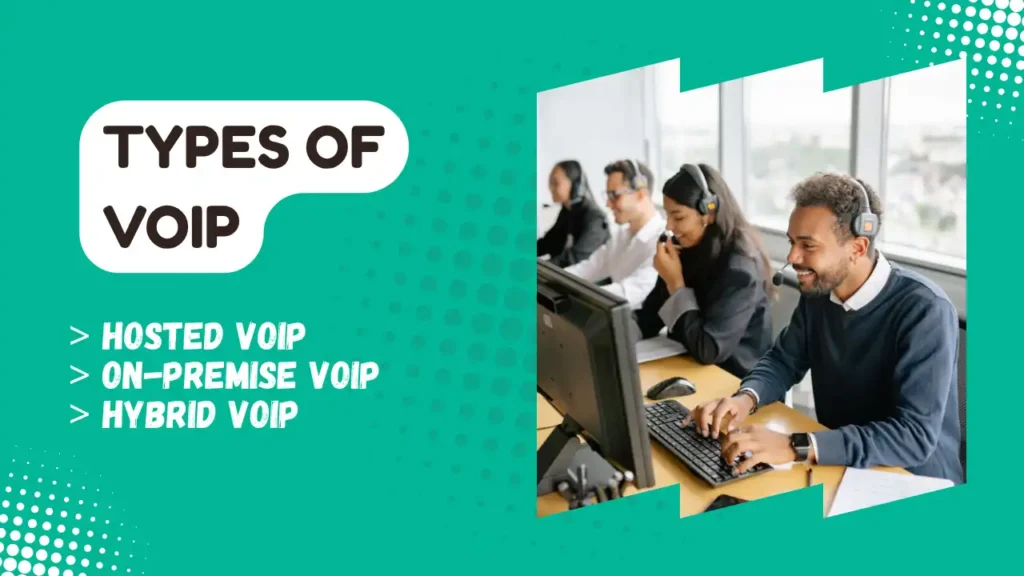
Not all VoIP systems work the same way. The right option depends on your business size, budget, and how much control you want over your phone system.
The three main types of VoIP systems are Hosted VoIP, On-Premise VoIP, and Hybrid VoIP. Let’s look at each one in simple terms.
1. Hosted VoIP
Hosted VoIP, also known as cloud-based VoIP, is the most popular choice for small and medium-sized businesses. In this setup, your VoIP service provider hosts and manages the entire phone system in the cloud. This means you don’t need to buy or maintain expensive phone equipment.
All you need is an internet connection and a device like a smartphone, computer, or VoIP desk phone to start making calls.
Benefits of Hosted VoIP:
- Low upfront costs
- Quick and easy setup
- No hardware maintenance
- Automatic software updates
- Easy to add or remove users
Best for: Small businesses, startups, remote teams, and companies looking for an affordable and easy-to-manage phone system.
2. On-Premise VoIP
With an On-Premise VoIP system, the phone equipment and servers are installed and managed at your business location. Your IT team is responsible for setting up, maintaining, and updating the system.
This option gives businesses greater control over their communication system but usually requires a larger investment in hardware and technical support.
Benefits of On-Premise VoIP:
- Greater control over the phone system
- More customization options
- Better suited for businesses with strict security or compliance requirements
- Can integrate with existing office infrastructure
Best for: Large organizations, enterprises, and businesses with dedicated IT staff.
3. Hybrid VoIP
A Hybrid VoIP system combines both Hosted VoIP and On-Premise VoIP. Some phone services are managed in the cloud, while others remain on equipment installed at your office.
This approach allows businesses to enjoy the flexibility of cloud technology while keeping certain systems on-site.
Hybrid VoIP is often used by companies that are upgrading from traditional phone systems and want to switch to the cloud gradually instead of replacing everything at once.
Benefits of Hybrid VoIP:
- Flexible deployment
- Easier transition from older phone systems
- Better business continuity
- Supports both remote and office-based employees
Best for: Growing businesses, organizations with multiple locations, and companies transitioning from traditional phone systems.
Key Features of Modern VoIP Systems
Modern VoIP systems offer much more than voice calling. They include smart communication tools that help businesses improve customer service, increase productivity, and stay connected from anywhere.
Here are some of the most useful features.
i. Auto Attendant
Answers incoming calls automatically and directs callers to the right person or department without a receptionist.
ii. Call Forwarding
Send incoming calls to another phone or device, so you never miss important conversations.
iii. Call Recording
Records phone calls for training, quality assurance, or future reference.
iv. Call Analytics
Provides insights such as call volume, missed calls, and response times to help improve team performance.
v. Voicemail to Email
Converts voicemails into audio files and sends them directly to your email for easy access.
vi. Video Meetings
Lets teams hold face-to-face meetings online without needing separate video conferencing software.
vii. SMS Messaging
Allows businesses to send and receive text messages using their business phone number.
viii. Team Chat
Offers instant messaging for quick communication between employees, reducing the need for emails.
ix. Mobile Apps
Make and receive business calls from your smartphone, whether you’re in the office or on the go.
x. CRM Integration
Connects your VoIP system with customer relationship management (CRM) software, displaying customer information during calls and keeping communication records in one place.
xi. Call Queues
Places callers in a virtual line when agents are busy, helping businesses manage high call volumes efficiently.
xii. IVR (Interactive Voice Response)
Uses voice prompts and keypad options to guide callers to the correct department or service.
xiii. Ring Groups
Rings multiple phones at the same time or in a set order until someone answers the call.
xiv. Conference Calling
Enables multiple people to join the same voice call, making team discussions and client meetings easier.
xv. Business Phone Extensions
Assigns short extension numbers to employees, allowing colleagues to reach each other quickly without dialing full phone numbers.
Benefits of VoIP

Here are the benefits of using VoIP app for calling :
1. Lower Calling Costs
One of the biggest reasons people switch to VoIP is cost savings.
International and long-distance calls are often much cheaper than traditional phone services. Businesses can also reduce monthly phone bills because they don’t need expensive telephone infrastructure.
2. Work From Anywhere
Because everything works through the internet, you can answer calls from almost anywhere.
Whether you’re working from home, at a coffee shop, or traveling, your business number stays with you.
3. Easy to Scale
Need another phone number for a new employee?
With traditional phone systems, adding new lines can take time and money.
With VoIP, adding users usually takes just a few minutes.
4. Useful Features
Most VoIP providers include features such as:
- Call forwarding
- Voicemail to email
- Video calling
- Conference calls
- Call recording
- Auto-attendant (virtual receptionist)
- Call analytics
VoIP vs Traditional Landline
| Feature | VoIP | Traditional Phone |
| Uses Internet | ✅ | ❌ |
| Lower Monthly Cost | ✅ | ❌ |
| Remote Working | ✅ | ❌ |
| Video Meetings | ✅ | ❌ |
| SMS | ✅ | ❌ |
| Easy Scaling | ✅ | ❌ |
| Call Analytics | ✅ | ❌ |
| CRM Integration | ✅ | ❌ |
Is VoIP Safe?
Yes, modern VoIP services are generally secure. Most providers use encryption to protect conversations while they travel across the internet.
Businesses can improve security even further by using strong passwords, two-factor authentication, and keeping software updated.
Frequently Asked Questions – VoIP Guide
1. Is VoIP better than a traditional phone line?
Yes. VoIP offers lower costs, advanced calling features, mobility, and easier scalability compared to traditional landline systems.
2. Can I keep my existing phone number?
Yes. VoIP providers support number porting, allowing you to transfer your existing business or personal phone number.
3. Does VoIP require the internet?
Yes. VoIP relies on an internet connection to transmit voice data. A stable broadband or fiber connection provides the best call quality.
4. What internet speed is needed for VoIP?
A single HD voice call typically uses around 100 Kbps in both upload and download. Businesses should ensure enough bandwidth for multiple simultaneous calls.
5. Can I use VoIP on my mobile phone?
Yes. Most providers offer mobile apps for Android and iPhone, letting you make and receive business calls from anywhere.
6. Is VoIP suitable for small businesses?
Absolutely. Cloud-based VoIP is especially popular with startups and small businesses because it’s affordable, easy to deploy, and packed with enterprise-grade features.
Final Thoughts – VoIP Guide
VoIP has become one of the most popular ways to communicate because it combines flexibility, affordability, and modern features. Instead of relying on traditional phone lines, it uses your internet connection to deliver clear voice calls across multiple devices.
Whether you’re a freelancer, a growing business, or simply someone who wants a more convenient way to stay connected, VoIP is worth considering.
With a reliable internet connection and the right service provider A2P Calling, you can enjoy lower costs, better mobility, and tools that make communication easier than ever.
Ready to experience these features yourself? Sign up for a free VoIP account with A2P Calling today and see how easy it is to streamline your business communication—no complicated setup or long-term commitment required.