What Is Cloud Connected Audio? How It Works, Benefits, and Uses
Cloud connected audio is a technology that uses internet-connected devices and cloud services to deliver, control, manage, or process sound. It allows users to access audio features through connected speakers, computers, smartphones, microphones, and business communication systems.
Unlike a traditional audio system that mainly relies on local hardware, cloud connected audio can offer remote control, centralized management, online streaming, and integration with other services. It is used in homes, offices, meeting rooms, retail stores, and business communication environments.
This article explains how Cloud connected audio works, where it is used, and what to check before you buy.
What Is Cloud Connected Audio?
Cloud connected audio refers to an audio system that uses cloud-based services to support functions such as audio delivery, device control, remote management, or sound processing.
Common examples include:
- Smart speakers: Play online music, podcasts, and other audio content.
- Cloud-managed audio systems: Allow administrators to control connected speakers across different locations.
- Online meeting platforms: Connect microphones, speakers, and remote participants for meetings.
- Business communication systems: Use internet-connected audio devices and cloud software to support calls and collaboration.
One important distinction is that cloud connected audio is a broad term, not a single universal technology or product. Some systems use the cloud mainly for management, while others rely on online services to deliver or process audio.
How Does Cloud Connected Audio Work?
Cloud connected audio works by connecting compatible audio devices to a network and using cloud services for selected functions. Depending on the system, sound travel over the internet, while settings and device controls are managed remotely.
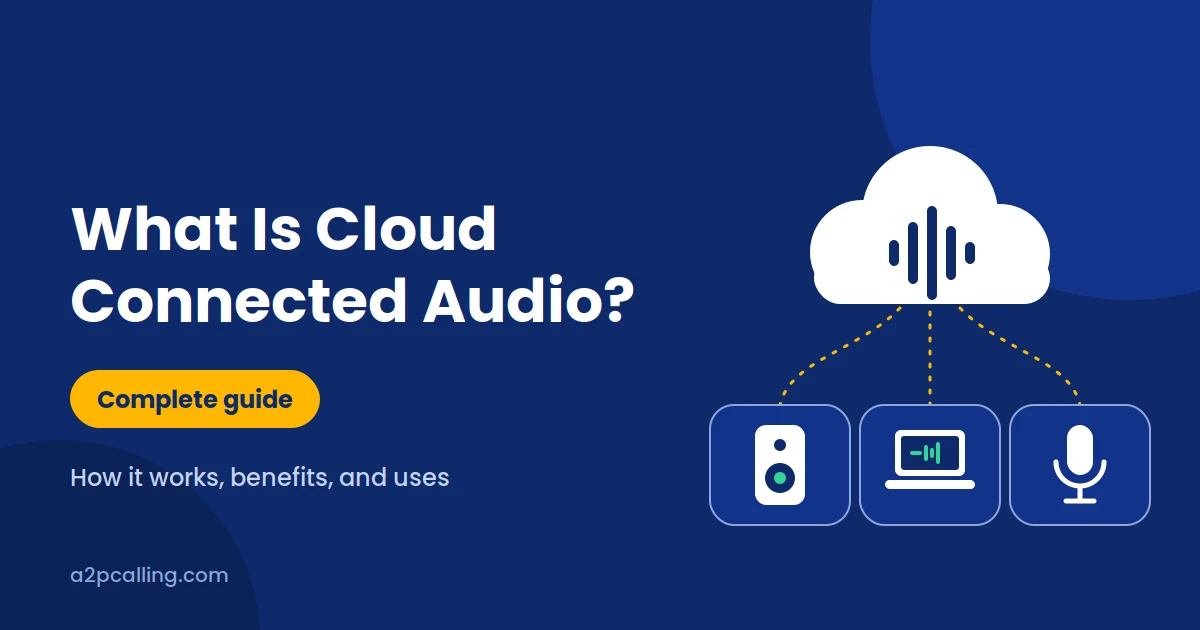
A typical setup includes three main components: audio devices, a network connection, and a cloud platform.
i. Audio Devices and Internet Connectivity
Audio devices capture, play, or transmit sound. These devices may include smart speakers, microphones, headphones, conference phones, network amplifiers, or computers.
The devices connect through Wi-Fi, Ethernet, or another supported network connection. The connection allows them to communicate with the services they need.
A stable network is important when a system streams audio or supports live communication. Weak connectivity may cause interruptions, delays, or reduced call quality.
ii. The Role of Cloud Servers
Cloud servers provide online computing and storage resources that an audio system can use. Depending on the service, these resources handle account settings, device configuration, content delivery, audio processing, or communication between devices.
iii. Apps and Remote Control
Many cloud connected audio systems include a mobile app, desktop application, or web dashboard. These interfaces allow users to control supported functions without physically accessing every device.
Users able to:
- Adjust volume and audio settings.
- Select or distribute audio content.
- Group compatible speakers into zones.
- Manage devices at different locations.
- Monitor device status and troubleshoot problems.
- Change user permissions and system settings.
Benefits of Cloud Connected Audio
The main benefits of cloud connected audio are remote access, centralized management, and integration with other digital services. These features can make audio systems easier to operate, particularly when multiple devices or locations are involved.
However, the actual benefits depend on the system’s design, internet connection, and available features.
i. Remote Access and Control
Remote access allows authorized users to manage compatible audio devices from another location. This can reduce the need for someone to visit each room or branch to change settings.
Remote control is particularly useful for businesses with distributed teams. However, users still need a supported system, appropriate permissions, and a working connection for cloud-dependent controls.
ii. Centralized Audio Management
Centralized management brings multiple audio devices under one platform. Instead of configuring every device separately, an administrator can manage supported settings from a common interface.
This can help organizations maintain consistent audio settings across offices, meeting rooms, shops, or other facilities.
Centralized management support:
- Grouping devices by room or location.
- Scheduling audio playback.
- Applying settings across multiple devices.
- Checking device status.
- Managing access permissions.
These features can simplify routine administration. They are especially useful when an organization has many audio devices to maintain.
iii. Integration With Other Services
Cloud connected audio can work with compatible applications and business systems. Depending on the platform, these integrations may include music services, meeting software, voice assistants, calendars, or communication tools.
Businesses should check compatibility before choosing a platform. Not every speaker, application, or communication service supports the same integrations.
Where Is Cloud Connected Audio Used?
Cloud connected audio is used wherever people need connected sound, remote audio management, or internet-based communication. Its applications range from personal entertainment to commercial audio systems and business meetings.
i. Smart Homes and Personal Listening
In homes, cloud connected audio can support smart speakers, online music playback, podcasts, and voice-controlled audio features.
These features can make personal listening more convenient.
ii. Business Meetings and Conferencing
Businesses use connected audio equipment to support online meetings and collaboration. Microphones, speakers, headsets, and conference room systems work with meeting applications to connect people in different locations.
Depending on the platform, additional features include noise reduction, meeting controls, recording, or transcription. These features are not available in every system and may require separate permissions or subscriptions.
iii. Retail Stores, Offices and Public Spaces
Retail stores, offices, hotels, and other commercial environments may use networked audio systems to distribute announcements, background music, or scheduled messages.
A retail business with multiple branches could manage supported audio settings from a central dashboard. An office uses separate audio zones for reception areas, meeting rooms, and shared workspaces.
Cloud management can make these arrangements easier to maintain. Businesses should still evaluate local network reliability, backup arrangements, equipment compatibility, and access controls.
iv. Cloud Connected Audio for Business Communication
Cloud connected audio can support business communication when combined with suitable calling and collaboration services. These systems use internet-connected phones, headsets, microphones, and cloud software to help employees communicate with customers and colleagues.
For businesses, it is important to distinguish cloud connected audio from the communication service itself. The audio equipment handles sound, while the phone or conferencing platform manages functions such as connecting calls and routing conversations.
Cloud Connected Audio vs. Traditional Audio Systems
Cloud connected audio differs from traditional audio systems mainly in how devices are controlled, managed, and connected to online services. Traditional systems often rely on local equipment, while cloud-connected solutions can use internet-based platforms for additional functions.
| Feature | Cloud Connected Audio | Traditional Audio Systems |
| Device management | May support remote management | Often managed locally |
| Internet connection | Required for cloud-dependent features | Not always required |
| Remote access | Available on supported systems | Usually limited without additional equipment |
| Integration | May connect with cloud applications | Often depends on local connections |
| Maintenance | Some settings and updates can be managed remotely | May require on-site access |
| Offline operation | Depends on the system | Many systems work without internet access |
However, traditional systems can be more suitable when internet access is unreliable or online management is unnecessary. The best choice depends on the organization’s needs, existing equipment, and budget.
Cloud Connected Audio vs. Bluetooth and VoIP
Cloud connected audio, Bluetooth, and VoIP serve different purposes, although they can work together in the same setup. Cloud connected audio describes the use of cloud services for audio-related functions, Bluetooth provides wireless connectivity between compatible devices, and VoIP enables voice communication over IP networks.
i. Cloud Connected Audio vs. Bluetooth
Cloud connected audio and Bluetooth are not the same technology. Bluetooth is a short-range wireless communication technology commonly used to connect headphones, speakers, phones, and other compatible devices.
Cloud connected audio uses cloud services to support functions such as remote management, streaming, or audio processing. Bluetooth, by itself, does not require an internet connection or cloud server to transmit audio between paired devices.
ii. Cloud Connected Audio vs. VoIP
Cloud connected audio and Voice over Internet Protocol (VoIP) are also different. VoIP is a technology that carries voice communications over IP networks, including the internet. It is commonly used for business phone calls, internet calling, and voice communication within collaboration platforms.
Cloud connected audio is a broader concept. It may support music playback, speaker management, conferencing, or other audio functions, depending on the system.
However, a cloud-connected speaker does not automatically provide VoIP calling, and a VoIP service does not necessarily include centralized audio management.
Is Cloud Connected Audio Secure?
Cloud connected audio can be secure when the devices, applications, network, and cloud services are properly configured. However, connecting audio equipment to the internet introduces security and privacy considerations that users should understand before deployment.
Security depends on the product, the information it handles, and the protections provided by its manufacturer or service provider.
Frequently Asked Questions About Cloud Connected Audio
Q1. What Is Cloud Connected Audio in Simple Terms?
Cloud connected audio is an audio system that uses the internet and cloud services for features such as playback, remote control, device management, or sound processing.
Q2. Does Cloud Connected Audio Require the Internet?
Cloud-dependent features require an internet connection, but not every audio function needs one. Some systems can continue playing locally stored audio or using local connections when internet access is unavailable.
Q3. Is Cloud Connected Audio the Same as Bluetooth?
No. Bluetooth connects compatible devices wirelessly over a short-range radio link, while cloud connected audio uses online services for selected audio-related functions.
They can work together. For example, a device may access music online and send the sound to a Bluetooth speaker.
Q4. Is Cloud Connected Audio the Same as VoIP?
No. VoIP transmits voice communications over IP networks, while cloud connected audio is a broader term for audio systems that use cloud services.
Q5. Does Cloud Connected Audio Improve Sound Quality?
Not necessarily. Cloud connectivity alone does not guarantee better sound quality.
Audio quality depends on factors such as the speakers, microphones, audio encoding, network conditions, and the source material.
Q6. Is Cloud Connected Audio Suitable for Businesses?
Yes. Cloud connected audio can be useful for businesses that need remote device management, online meetings, multi-location audio, or integration with communication applications.
Final Thoughts on Cloud Connected Audio
Cloud connected audio allows audio devices to use cloud services for functions such as remote control, content delivery, device management, and communication. It can simplify audio management for households and businesses, particularly when multiple devices or locations are involved.
However, it is not a replacement for every traditional audio system. The benefits depend on the features you need, the quality of your equipment, your network reliability, and how the system handles privacy and security.
If you are considering cloud connected audio, start by identifying your main requirement. For personal listening, look at streaming and device compatibility. For business use, focus on centralized management, conferencing, integration, and security.
Choosing a system that matches your actual needs will help you get the most value from cloud connected audio without paying for features you do not use.