What Is a PAC Code? How to Get and Use One
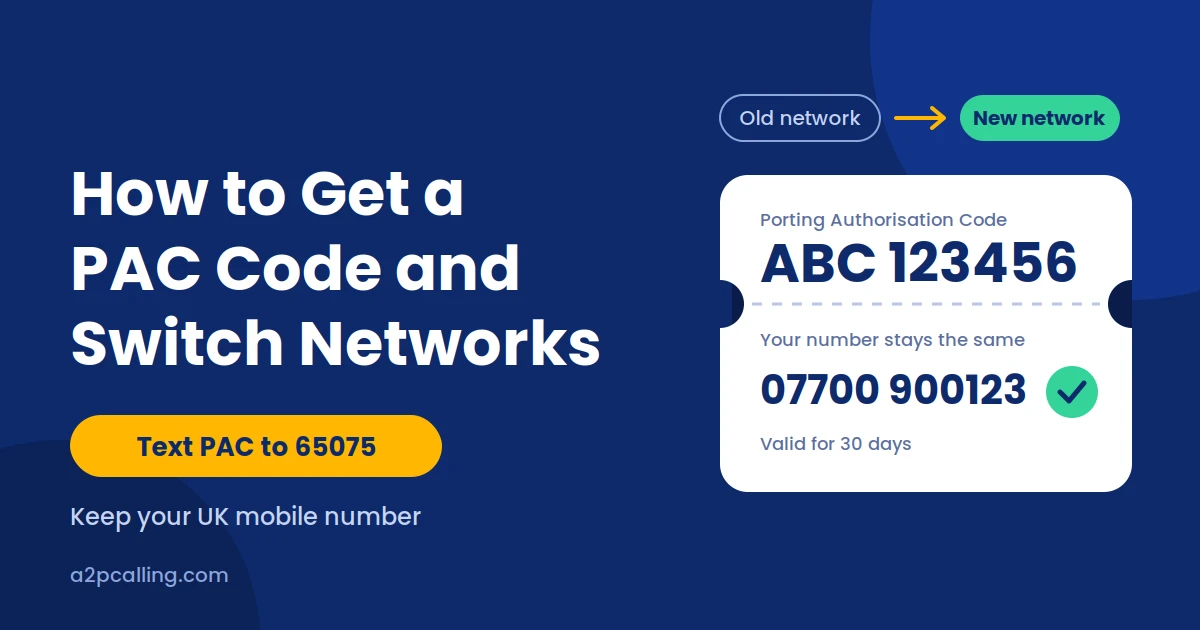
A PAC code lets you keep your existing mobile phone number when switching to another mobile network in the UK. PAC stands for Porting Authorisation Code. You give this code to your new mobile provider so it can arrange the transfer of your number.
Understanding howPAC code can help you switch networks without losing contact with friends, family, or customers. You can usually request a PAC code by text, online, or by phone, depending on your provider.
This guide explains how to get a PAC code, how to use it, and what to do if something goes wrong.
What Is a PAC Code?
A PAC code is a unique code that authorises the transfer of your mobile number from one network to another. It allows you to change providers while keeping the same phone number.
For example, imagine you use a mobile number with O2 but want to switch to EE because you prefer its coverage or plan. You can request a PAC code from O2 and give it to EE to transfer your existing number.
The PAC code meaning is simple: it gives your new provider the information needed to arrange your number transfer. You do not need to tell all your contacts about a new number or update it across your accounts.
A PAC code is useful when:
- You find a better mobile deal with another network.
- You want to switch providers but keep your existing number.
- You want to move from a monthly contract to another provider.
- You need to keep your business number when changing networks.
Important: A PAC code is different from a cancellation request. If you want to keep your number, request a PAC code before your old mobile service is disconnected.
How Do You Get a PAC Code?
You can get a PAC code by texting your current provider, contacting customer service, or using an available online account service. In the UK, mobile customers can generally request a PAC code through the standard text-message process.
i. Get Your PAC Code by Text
Texting is one of the simplest ways to request a PAC code in the UK. The standard process is designed to make switching networks easier without requiring a lengthy phone call.
Follow these steps:
- Open the messaging app on your mobile phone.
- Create a new text message.
- Type PAC.
- Send the message to 65075.
- Wait for your current provider to respond with your PAC code and relevant account information.
The standard text-to-switch service allows you to request a PAC code without calling customer service. Your provider should respond with information about your code and any applicable early termination charges.
Before switching, check whether your existing contract has outstanding payments or other charges. Getting a PAC code does not automatically remove your contractual obligations.
ii. Request a PAC Code Online or by Phone
If you cannot use the text-message method, you can request a PAC code by contacting your current mobile provider. Many networks offer customer support through their websites, mobile apps, or telephone helplines.
You may need to verify your identity before the provider releases your code. Keep your account details available to help the process go smoothly.
You can also sign in to your provider’s online account and check whether it offers a number-transfer or switching option.
How Do You Use a PAC Code to Switch Networks?
To use a PAC code, choose a new mobile provider, give it your code, and follow its instructions to transfer your existing number. Your new provider will use the code to arrange the transfer with your current network.
Step 1: Choose Your New Mobile Provider
First, compare mobile networks and choose a provider that meets your needs. Consider coverage, monthly costs, data allowances, international calling options, and contract terms.
Step 2: Give Your PAC Code to Your New Provider
Once you have chosen your new network, provide your PAC code during the sign-up process or through the provider’s designated number-transfer service. You may also need to provide your existing mobile number and other account information.
Make sure you enter the code correctly and follow the provider’s instructions. PAC codes have a limited validity period, so avoid requesting one too early if you are not ready to switch.
If you have already ordered a new SIM card, check whether your provider lets you submit the PAC code online or through its app.
Step 3: Complete the Number Transfer
After receiving your PAC code, your new provider will arrange the transfer of your number. Follow any instructions it gives you about activating your SIM card and completing the switch.
Keep your old SIM available until the transfer is complete. Your existing service may stop working when the number moves to the new network, after which you can use your new SIM with your original number.
Once the transfer is complete, test your phone by making a call, sending a text, and checking mobile data. If anything does not work, contact your new provider for assistance.
How Long Does a PAC Code Last?
A PAC code is generally valid for 30 days from the date it is issued in the UK. You need to give the code to your new provider within this period if you want to use it for your number transfer.
If your PAC code expires before you use it, you will normally need to request another one from your current provider. Getting a new code allows you to continue with the switching process.
What Is the Difference Between PAC and STAC Codes?
The main difference between PAC and STAC codes is whether you want to keep your existing mobile number when switching networks. A PAC code lets you keep your number, while a STAC code allows you to switch providers and get a new number.
STAC stands for Service Termination Authorisation Code. It is useful when you want to leave your current mobile provider without transferring your existing number.
Here is a quick comparison:
| Feature | PAC Code | STAC Code |
| Full form | Porting Authorisation Code | Service Termination Authorisation Code |
| Main purpose | Transfer your existing number | Switch networks without keeping your number |
| Keep your number? | Yes | No |
| UK text request | Text PAC to 65075 | Text STAC to 75075 |
| Best for | People who want to keep their number | People who want a new number |
Frequently Asked Questions About PAC Codes
Q1. Is a PAC Code Free?
Yes, requesting a PAC code through the standard UK text-to-switch service is free. You can text PAC to 65075 to request your code without paying a fee for the request itself.
Q2. Can I Keep My Number When Switching to Another Network?
Yes, you can keep your existing mobile number when switching to another UK mobile network. You need to request a PAC code from your current provider and give it to your new provider.
Q3. Can I Get a PAC Code Without Texting?
Yes, you can request a PAC code without texting. Contact your current mobile provider by phone or check its website or app for an alternative method.
Q4. Can I Get a PAC Code After Cancelling My Number?
Possibly, but it depends on whether your number is still available for transfer. If your mobile service has already been disconnected, contact your previous provider immediately to ask about your options.
Q5. How Long Does It Take to Transfer a Number Using a PAC Code?
In the UK, a mobile number transfer using a PAC code is generally completed within one working day when the request is submitted correctly and the necessary arrangements are in place.
Q6. What Should I Do If My PAC Code Does Not Work?
If your PAC code does not work, check that you entered it correctly and that it has not expired. A PAC code is generally valid for 30 days, so an expired code may prevent you from completing the transfer.
Try these steps to resolve the problem:
- Check the code: Make sure you entered the correct characters.
- Check the validity period: Confirm that your PAC code is still valid.
- Verify your details: Ensure that the mobile number and account information you provided are correct.
- Contact your new provider: Ask why the transfer request was rejected and what you need to do next.
- Request a new code if necessary: If your previous PAC code has expired, contact your current provider to obtain another one.
Avoid repeatedly submitting the same code without checking the reason for the failure.
Ready to switch mobile networks?
Contact your chosen provider and ask how to transfer your existing number using your PAC code. If you also need a flexible business line alongside your mobile, see what VoIP is and how it works.