
How to Stop Spam Calls: Effective Ways to Block Unwanted Calls in 2026
Spam calls have become a daily annoyance for millions of people. Some are harmless telemarketing calls, while others are designed to steal your money or personal information. Many of these calls use automated dialers or fake caller IDs, making them difficult to recognize before you answer.
The good news is that you don’t have to answer every unknown call. Modern smartphones include built-in spam protection, and there are reliable third-party apps that can identify or block suspicious numbers before they reach you.
In this guide, you’ll learn what spam calls are, why you’re receiving them, and the best ways to stop them on iPhone, Android, and landline phones.
Read it : What is VoIP?
What Are Spam Calls?
Spam calls are unwanted phone calls that you did not ask to receive. They usually come from telemarketers, robocall systems, businesses promoting products, or automated dialing services.
Some spam calls are simply annoying marketing calls, while others try to trick you into answering by pretending to be a bank, government agency, delivery company, or another trusted organization.
Caller ID can also be spoofed, making the incoming number appear familiar even though it isn’t genuine.
Common Types of Spam Calls
- Automated robocalls
- Telemarketing calls
- Promotional offers
- Debt collection calls
- Fake customer support calls
- Survey or prize calls
- Calls using spoofed phone numbers
Difference Between Spam Calls & Scam Calls
Many people use the terms spam call and scam call interchangeably, but they are not exactly the same.
| Spam Calls | Scam Calls |
| Usually unwanted marketing or promotional calls. | Designed to steal money or personal information. |
| May come from legitimate businesses or robocall systems. | Often pretend to be trusted organizations. |
| Mostly annoying rather than dangerous. | Can lead to financial loss or identity theft. |
| Usually advertise products or services. | Often pressure victims into acting immediately. |
How to Recognize a Scam Call?
Be cautious if the caller:
- Ask for your passwords or banking information.
- Requests gift cards or cryptocurrency as payment.
- Claims you have won a prize that requires a fee.
- Threatens legal action if you don’t pay immediately.
- Pretends to be your bank, tax office, or police department without verification.
Why Am I Getting So Many Spam Calls?
There isn’t just one reason. Spam callers use several methods to collect phone numbers and identify active users.
Here are some reasons :
- Your Number Appears in Public Databases
- Your Number Was Part of a Data Breach
- You Previously Answered Spam Calls
- Your Number Was Randomly Dialed
- Your Caller ID Was Spoofed
- You Gave Marketing Consent
How to Stop Spam Calls on iPhone?
Apple includes several built-in features that help reduce unwanted calls. Depending on your iPhone model and iOS version, you can silence unknown callers, enable carrier-supported spam filtering, and use trusted call identification apps.
These features don’t stop every spam call, but they significantly reduce interruptions by filtering or silencing suspicious numbers. Apple also recommends keeping your iPhone updated to receive the latest security improvements.
i. Silence Unknown Callers
If you regularly receive calls from unknown numbers, the easiest solution is Silence Unknown Callers.
When this feature is enabled:
- Calls from numbers not saved in your contacts are silenced.
- The caller is sent directly to voicemail.
- The call still appears in your recent call history.
- Numbers you’ve recently contacted or received through Siri Suggestions can still ring normally.
How to Enable Silence Unknown Callers?
- Open Settings.
- Tap Apps > Phone.
- Select Silence Unknown Callers.
- Turn the feature On.
ii. Block Individual Spam Numbers
If the same spam number keeps calling, you can block it permanently.
Steps to Block a Number
- Open the Phone app.
- Tap Recents.
- Tap the Info (i) button beside the number.
- Scroll down.
- Tap Block Caller.
- Confirm your selection.
iii. Enable Carrier Spam Protection
Many mobile carriers automatically identify suspected spam or fraud calls.
When supported by your carrier, spam calls can:
- Display a spam warning before you answer.
- Be sent directly to voicemail.
- Appear in your recent call list without ringing.
Availability depends on your country and mobile carrier. Apple allows compatible carriers to provide spam identification through iOS.
iv. Use a Spam Call Blocking App
You can also install a trusted call-filtering app from the App Store.
How to Stop Spam Calls on Android?
Most Android phones include built-in spam detection that can identify suspicious callers before your phone rings. Depending on the manufacturer, these features may use Google’s spam database, your mobile carrier, or a trusted partner such as Hiya.
The exact menu may vary slightly between Samsung, Google Pixel, OnePlus, Xiaomi, and other Android devices, but the overall process is similar.
i. Turn On Caller ID & Spam Protection
Google’s Phone app can automatically detect suspected spam callers and warn you before you answer.
How to Enable Spam Protection?
- Open the Phone app.
- Tap the three-dot menu.
- Select Settings.
- Tap Caller ID & Spam.
- Turn See Caller and Spam ID on.
- Enable Filter Spam Calls or Block Spam and Scam Calls if available.
Once enabled, Android can automatically identify many unwanted callers before they reach you.
ii. Block a Specific Number
If a spam call gets through, you can block that number in a few seconds.
Steps to Block a Caller
- Open the Phone app.
- Go to Recent Calls.
- Select the spam number.
- Tap Block or Report Spam.
- Confirm your choice.
Reporting spam also helps improve Google’s spam detection database.
iii. Enable Call Screening (Google Pixel)
Google Pixel devices offer Call Screen, which lets Google Assistant answer unknown calls for you.
When someone calls:
- Google Assistant asks the caller why they’re calling.
- You see a live transcript on your screen.
- You decide whether to answer or reject the call.
This feature is especially useful for avoiding robocalls without missing legitimate callers.
iv. Keep Spam Protection Updated
Spam databases are updated regularly. To stay protected:
- Update the Phone app.
- Install Android security updates.
- Keep Google Play Services up to date.
- Review blocked numbers occasionally.
How to Stop Spam Calls on Landline?
Spam calls are not limited to mobile phones. Landline users also receive robocalls, telemarketing calls, and scam calls every day.
Although landlines don’t have as many built-in blocking features as smartphones, there are still several effective ways to reduce unwanted calls.
Register Your Number on the National Do Not Call Registry
If you live in the United States, one of the first steps is to register your landline with the National Do Not Call Registry, which is managed by the Federal Trade Commission (FTC).
The registry is designed to reduce telemarketing calls from legitimate businesses. While it won’t stop illegal robocalls or scammers, it can significantly reduce lawful sales calls.
You can register your number online or by phone. Registration is free and does not expire for most phone numbers. The FTC also allows you to report telemarketing calls that continue after your number has been registered.
Use Your Phone Company’s Call Blocking Service
Many landline providers offer built-in spam protection services.
Depending on your provider, these services may:
- Identify suspected spam callers
- Block robocalls automatically
- Send unwanted calls directly to voicemail
- Allow you to create your own blocked numbers list
Contact your phone service provider or visit its website to see what spam protection features are available.
Install a Call Blocking Device
If your landline phone doesn’t include spam filtering, you can purchase a call-blocking device.
These devices connect between your telephone and phone line and automatically reject numbers that appear in spam databases.
Many models also let you:
- Block specific numbers
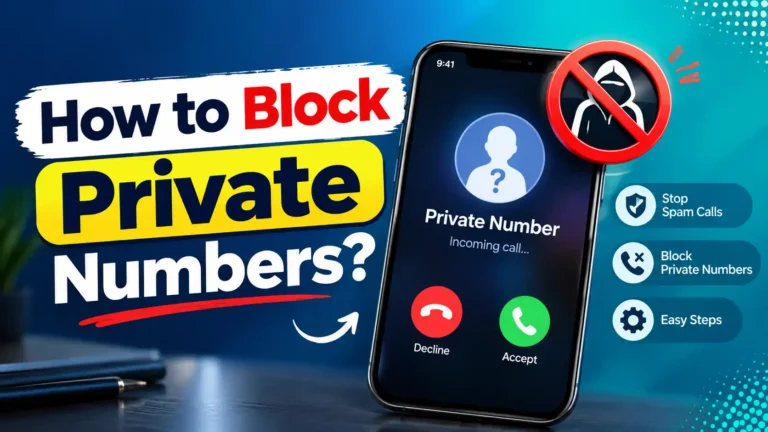
- Block anonymous callers
- Create a whitelist of approved contacts
- Stop repeated robocalls
This option works well for older landline systems.
Enable Built-in Call Blocking
Many modern cordless landline phones include built-in call blocking.
Depending on the model, you may be able to:
- Block individual phone numbers
- Reject anonymous calls
- Store hundreds or even thousands of blocked numbers
- Silence callers not saved in your directory
Check your phone’s user manual to see which features are supported.
Best Apps to Block Spam Calls
If built-in spam protection isn’t enough, several trusted apps can help identify and block unwanted calls.
Below are some of the most popular options available for Android and iPhone.
1. Truecaller
Truecaller is one of the most widely used caller identification apps.
Key Features
- Real-time spam detection
- Caller ID
- Community-reported spam database
- Automatic spam blocking
- SMS spam filtering
Available for: Android and iPhone
2. Hiya
Hiya focuses on identifying unknown callers and blocking fraudulent calls before your phone rings.
Key Features
- Spam caller identification
- Scam detection
- Reverse phone lookup
- Automatic spam blocking
Some Android phones include Hiya’s technology as part of their built-in caller protection.
Available for: Android and iPhone
3. RoboKiller
RoboKiller uses artificial intelligence and large spam databases to reduce unwanted calls.
One of its unique features is Answer Bots, which automatically respond to spam callers and keep them occupied without involving you.
Key Features
- AI spam filtering
- Automatic blocking
- Scam text filtering
- Answer Bots
- Custom block lists
Available for: Android and iPhone
4. Google Phone App
Many Android devices use Google’s Phone app, which includes built-in spam protection at no additional cost.
Features
- Caller ID
- Spam detection
- Spam reporting
- Call screening (Pixel devices)
This is one of the easiest solutions for Android users because no additional app is required.
5. Carrier Spam Protection Apps
Many mobile carriers also provide their own spam filtering services.
Examples include:
- AT&T ActiveArmor
- T-Mobile Scam Shield
- Verizon Call Filter
These apps combine carrier-level network detection with caller identification to help reduce spam and scam calls.
FAQs – Stop Spam Calls
1. What’s the code to block all spam calls?
There is no universal code that blocks every spam call. Spam protection depends on your phone, operating system, and mobile carrier.
2. Is it better to block or delete spam calls?
Blocking is usually the better option. Deleting a missed spam call only removes it from your call history.
3. Do spam callers know when you block them?
No. In most cases, callers are not notified when you block their number.
4. How do spam callers get my number?
Spam callers obtain phone numbers from various sources, including:
- Public records
- Online forms
- Marketing databases
- Data breaches
- Random number dialing
- Information shared with advertising partners
5. How to block all suspected spam calls?
While it’s impossible to block every spam call, you can greatly reduce them by:
- Enabling your phone’s built-in spam protection
- Using your carrier’s spam filtering service
- Installing a trusted spam-blocking app
- Blocking suspicious numbers
- Avoiding answering unknown callers unless necessary
Final Words – Stop Spam Calls
Spam calls can be frustrating, but you don’t have to live with constant interruptions. Both iPhone and Android devices include built-in tools that can identify or silence suspicious callers, while landline users can benefit from carrier services, call-blocking devices, and national Do Not Call registries where available.
For even stronger protection, consider using a trusted spam-blocking app such as Truecaller, Hiya, or RoboKiller.
No solution can eliminate every spam call, but using multiple layers of protection is the most effective way to keep your phone quieter and your personal information safer.
Read More : What Is a VoIP Number and How Is It Used?